

Find an entry
Open Transactions. It initially selects Today. Use the date chips or Custom for another range, and the type chips for income, expenses, or transfers. All dates includes older entries. Scroll to load more.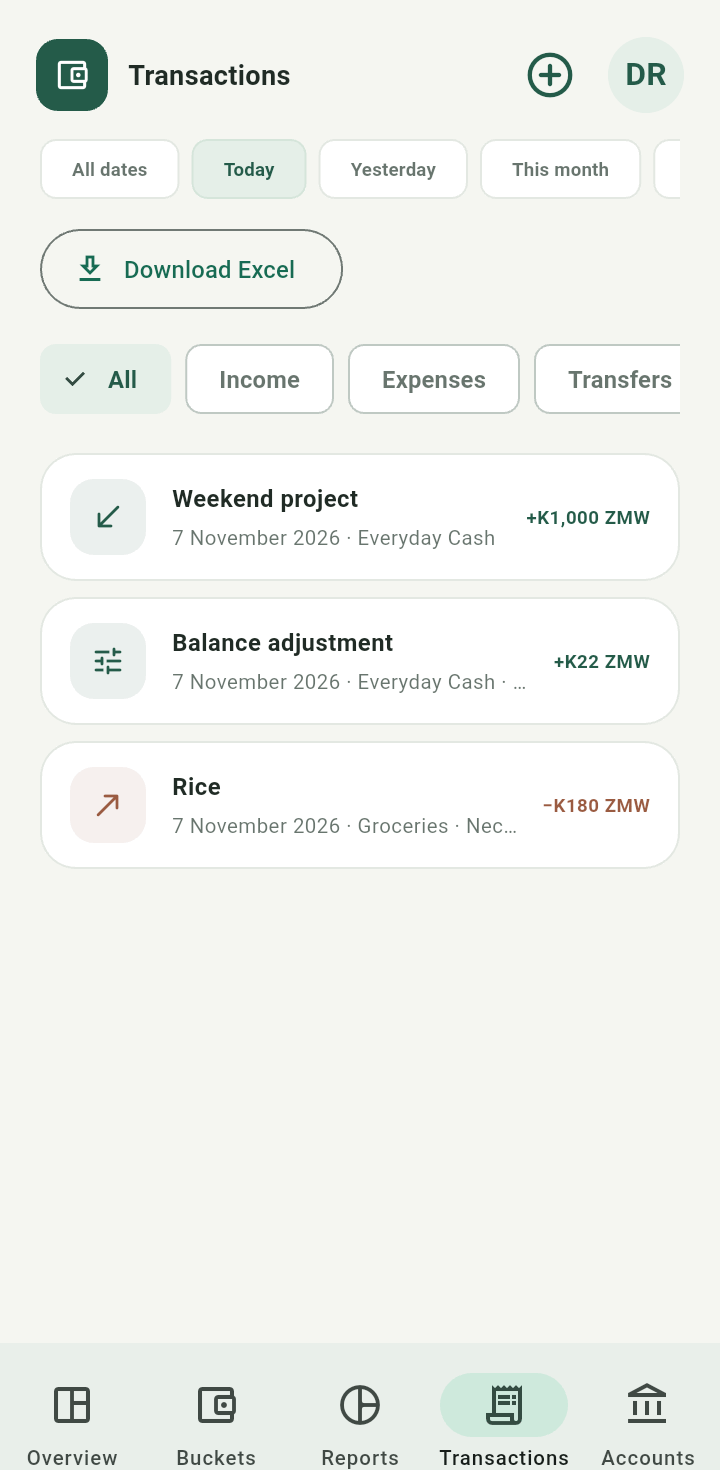
Transactions list with type and date filters
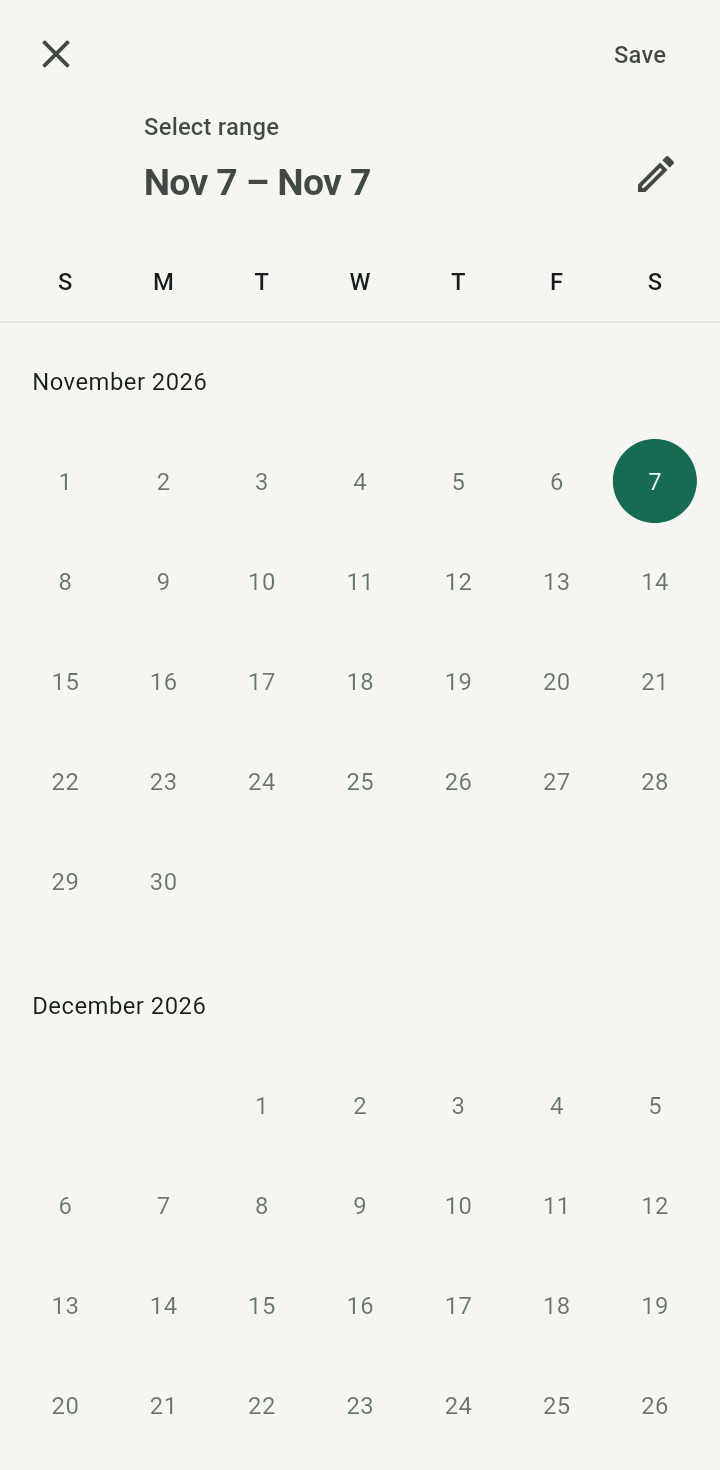
Custom date-range picker
A blank result may simply mean the current filters exclude your entry. Pull down to refresh before entering the same event again.Inspect or edit
Tap an income or expense row. The app opens Edit income or Edit expense with saved values. Make the intended correction and tap Save changes. Changing future split percentages is a separate action and does not edit this record.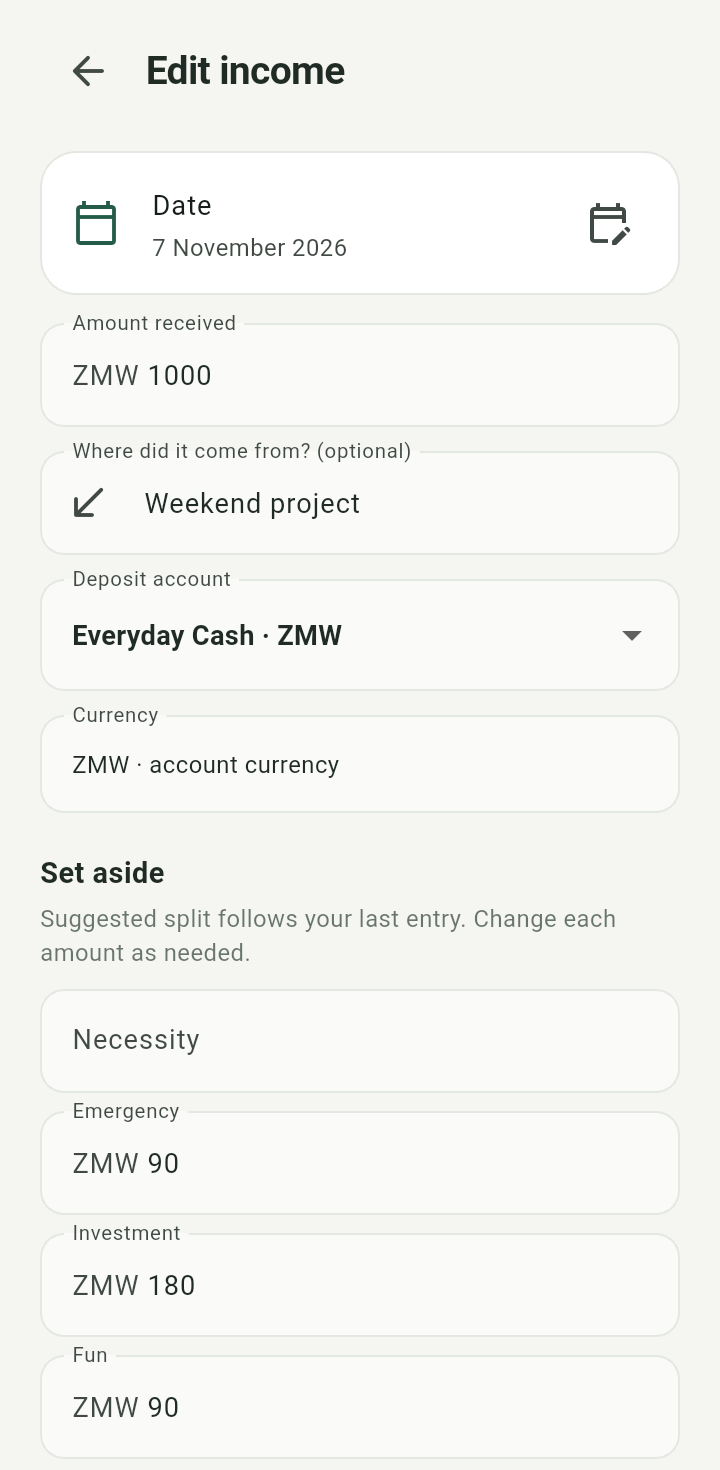
Edit income form populated from a saved event
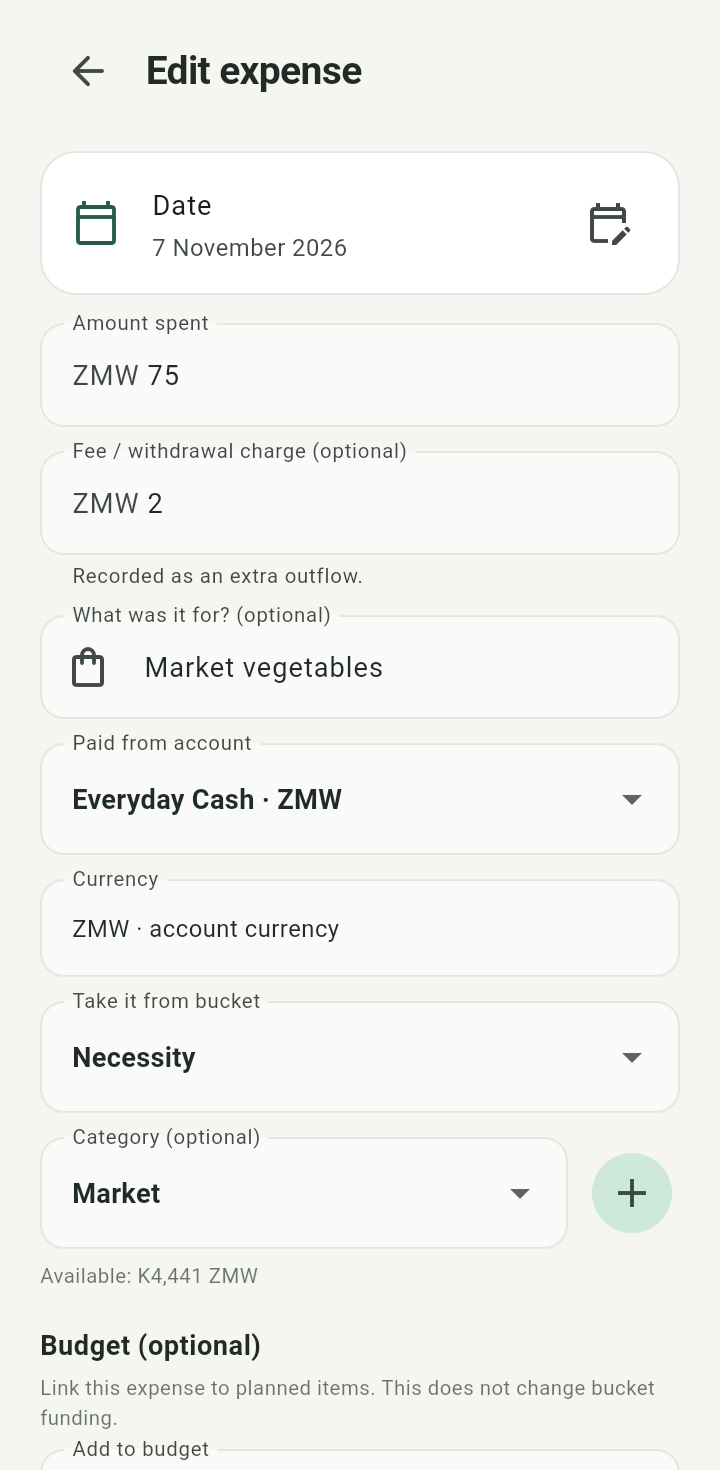
Edit expense form populated from a saved purchase
Transfers and adjustments are history events; the current client does not expose the same edit forms for them. This manual does not promise event deletion.